
Download Implai App – AI Text Photo Filters, Free Secure Tool
Overview
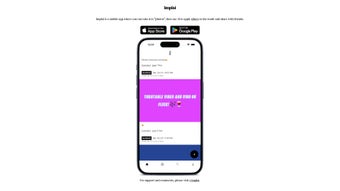
Implai is a cutting‑edge mobile application that turns ordinary text snapshots into eye‑catching visual content using artificial‑intelligence‑driven filters. Whether you’re a social‑media influencer, a student preparing study notes, or simply someone who loves to share quirky images, Implai provides a quick, intuitive way to enhance text‑based photos. The app’s core strength lies in its AI engine, which analyses the captured text, identifies key visual elements, and then applies a variety of artistic overlays, color corrections, and typographic effects.
The result is a polished image that feels both modern and personalized. Because the interface is built for users with minimal technical expertise, you can create professional‑looking graphics in just a few taps. Implai is available for free on both iOS and Android devices, and it receives regular updates to keep the filter library fresh and the AI models accurate.
A vibrant community lives on the subreddit r/implai, where members exchange tips, showcase their creations, and request new filter ideas. This blend of powerful AI, user‑friendly design, and community support makes Implai an essential tool for anyone looking to upgrade their visual storytelling on platforms like Instagram, TikTok, or Twitter.
Key Features
- AI‑Powered Text Detection: Automatically recognizes printed and handwritten text in photos, eliminating the need for manual cropping.
- Dynamic Filter Library: Over 30 AI‑generated filters ranging from retro typewriter vibes to neon glitch effects.
- One‑Tap Enhancement: Apply complex visual adjustments (contrast, saturation, shadow) with a single tap.
- Customizable Text Overlays: Add emojis, stickers, or custom fonts that adapt to the underlying text style.
- Batch Processing: Transform multiple images in a single session, perfect for creating a series of Instagram stories.
- Social Export Options: Directly share to Instagram, Facebook, TikTok, or save in high‑resolution PNG/JPEG formats.
- Secure Cloud Sync: Optional backup of your edited images to a private cloud, ensuring you never lose your work.
- Community Hub Integration: Access the r/implai subreddit from within the app to get inspiration and support.
- Frequent Updates: New filters and AI improvements released monthly, keeping the creative possibilities fresh.
- Lightweight & Fast: Optimized for smooth performance on low‑end devices without sacrificing quality.
Installation & Usage Instructions
Getting started with Implai is straightforward. Follow the steps below to download, install, and begin creating AI‑enhanced text photos.
Step‑by‑Step Installation
- Open the App Store (iOS) or Google Play Store (Android).
- Search for Implai and verify the developer’s name to avoid counterfeit apps.
- Tap Get or Install. The download size is approximately 45 MB, and the process typically completes within a minute on a 4G connection.
- Once installed, launch the app. On first launch, you’ll be prompted to grant camera, storage, and optional cloud‑sync permissions. These permissions are essential for the AI detection engine to read text from your photos and save the enhanced results.
- Create a free account using your email or social login (Google, Apple ID). This account syncs your filter preferences and allows you to participate in the community hub.
How to Transform a Text Photo
- Tap the Camera icon to capture a new image or select an existing photo from your gallery.
- The AI engine scans the picture for text within seconds. You’ll see a bounding box around detected characters.
- Choose a filter from the bottom carousel. Hovering over each filter displays a live preview so you can compare effects before applying.
- Use the Adjustment Slider to fine‑tune brightness, contrast, or filter intensity. For more control, open the Advanced Settings panel to tweak color grading and add custom overlays.
- When satisfied, press Save & Share. You can directly post to Instagram Stories, copy the link for TikTok, or download the image to your device’s gallery.
For power users, Implai offers a Batch Mode where you can select multiple images, apply a single filter to all, and export them as a zip file. This feature is especially handy for content creators who need a consistent aesthetic across a series of posts.
Compatibility: Implai runs on iOS 12.0 or later and Android 8.0 or later. The app has been tested on iPhone SE, iPhone 14 Pro, Samsung Galaxy S22, and Google Pixel 7, delivering smooth performance across a wide range of hardware.
Pros & Cons
What Users Love
- Intuitive AI detection eliminates manual cropping.
- Rich library of creative filters that stay fresh with regular updates.
- One‑tap enhancements save time for busy creators.
- Free to download with optional premium filter packs.
- Strong community support via the r/implai subreddit.
- Low memory footprint; works well on older smartphones.
Areas for Improvement
- Limited offline filter options; some advanced AI models require an internet connection.
- Premium filter packs are priced higher than competing apps.
- Occasional lag when processing very high‑resolution images (above 8 MP).
- No built‑in analytics to track post engagement directly from the app.
- Export options currently lack direct integration with LinkedIn or Pinterest.
Frequently Asked Questions
Is Implai free to use?
Yes, the core app and most filters are free. Premium filter packs are available for purchase, but they are optional and not required to enjoy the primary features.Do I need an internet connection for AI processing?
Basic text detection works offline after the initial model download. However, advanced filters and some cloud‑sync features require an active internet connection.Can I share directly to TikTok from Implai?
Currently, Implai supports direct sharing to Instagram, Facebook, and Twitter. TikTok sharing is possible by saving the image to your gallery and uploading manually.Is my data safe when I enable cloud sync?
Implai uses end‑to‑end encryption for cloud backups, and your data is stored on secure servers compliant with GDPR and CCPA regulations.How often are new filters added?
The development team releases fresh filters and AI model improvements on a monthly basis, and they actively solicit ideas from the r/implai community.Conclusion & Call to Action
Implai stands out as a powerful yet approachable tool for anyone who wants to transform mundane text screenshots into striking visual content. Its AI‑driven workflow eliminates the steep learning curve traditionally associated with graphic design, while the ever‑expanding filter library ensures that your posts remain fresh and on‑trend. Whether you’re posting daily Instagram stories, creating educational reels, or simply having fun with friends, Implai gives you the flexibility to experiment without breaking the bank.
Ready to elevate your social media game? Download Implai now for free on iOS or Android, join the thriving r/implai community, and start turning ordinary text into extraordinary visuals today.



.png)



